
LiDAR · iOS · VR & Web

Spaces in 3D

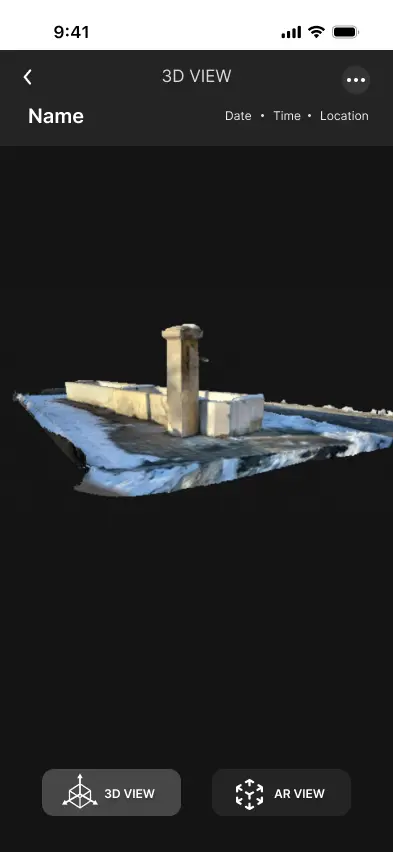
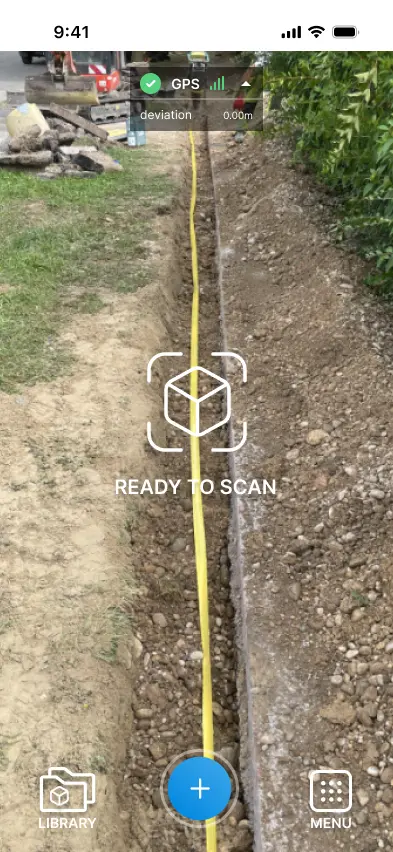
Capture real-world spaces with iPhone LiDAR, convert them into textured 3D models, and explore them in VR or on the web — no expensive equipment, no waiting for processing.

  • Real-Time LiDAR
  • iOS Native
  • VR & Web Export
  • Cloud Sync
60%
Faster
VR
Immersive
Web
Sharing

Scan once, explore everywhere — mobile, VR, and web — built and shipped by Exarth.

60%Faster workflows
VRImmersive viewing
WebInstant sharing
iOSNative LiDAR

Overview

Scan to 3D, share everywhere

A complete 3D-capture platform — real-time iPhone LiDAR scanning with automated mesh and texture mapping, instant in-app preview, and one-tap export to VR headsets and shareable web links.

  • Real-time capture
  • Auto texture mapping
  • VR & web export
  1. 1Scan a space with iPhone LiDAR in real time.
  2. 2Preview in 3D with auto mesh & textures.
  3. 3Share anywhere to VR headsets or the web.
View on the App Store
3D toolkit
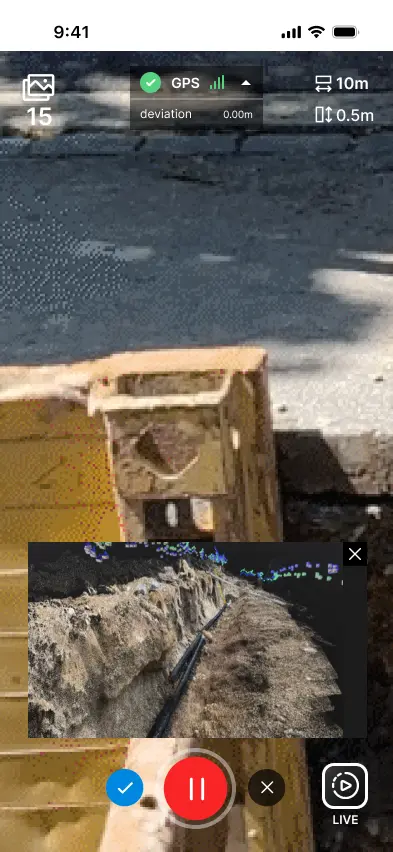
Real-time LiDARHigh-accuracy depth mapping with live mesh generation and instant visual feedback.
VR & web exportOne tap to immersive VR mode or a unique web link — no app required for viewers.
Cloud syncAutomatic backup with full scan history available across every device.
Challenge & solution

From fragmented to unified

Real-time

LiDAR 3D capture

60%

Faster workflows

The challenge

The Challenge

Traditional 3D scanning workflows were time-consuming and fragmented. Professionals struggled to capture, process, and share 3D models across mobile, VR, and web platforms without expensive equipment and disconnected tools.

  • Manual measurement processes
  • Limited real-time visualization
  • Difficulty sharing models
Tape & measureSeparate appsDelayed modelsSlow workflow

Capture

Manual ops

Tools

Siloed apps

Preview

No real-time

  • ManualMeasurement
  • SlowWorkflow
  • SplitTools

Fragmented tools · No unified 3D workflow
The solution

The Solution

LiDAR 3D Scanner unifies the whole workflow — real-time iPhone LiDAR capture, automated mesh and texture mapping, and one-tap export to VR and the web, so any space goes from scan to shareable model in minutes.

  • Real-time LiDAR scanning
  • Automated texture mapping
  • One-tap VR & web export
LiDAROne app
LiDAR Scan3D ProcessVR ViewWeb Share

One app · Scan to share everywhere

LiDAR app · Key features

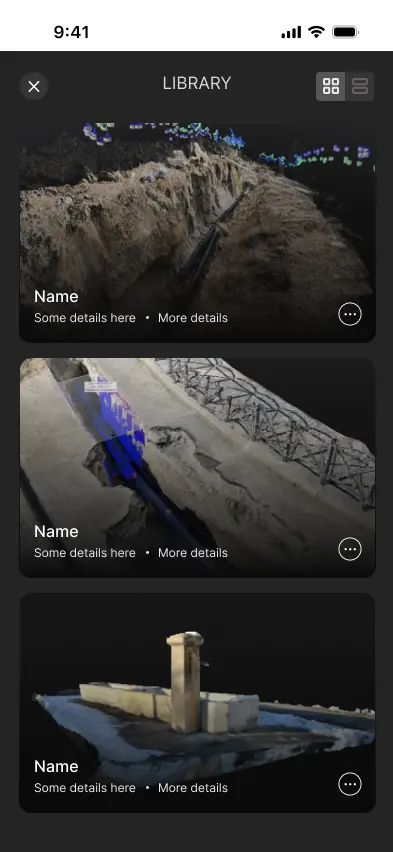
Scan, preview & share in 3D

From laser pulse to shareable model — everything to capture a space, preview it instantly, and explore it across mobile, VR, and the web.

01/06 features

Tap a feature to preview it

Technology

Built on a modern, proven stack

A scalable, native foundation powering LiDAR 3D Scanner — from real-time depth capture and 3D rendering to cloud sync and a cross-platform web viewer.

Chosen for

Speed

Optimised for fast, responsive apps.

Security

Hardened with best-practice defaults.

Scalability

Grows with your users and team.

Maintainability

Clean, documented, easy to extend.

01

Mobile

3 tools

Native iPhone experience.

  • iOS
  • Swift
  • SwiftUI

A fast, polished native iOS app.

02

Capture & 3D

3 tools

Real-time LiDAR, mesh & rendering.

  • LiDAR / ARKit
  • SceneKit
  • Point Cloud

Live depth capture with textured 3D meshes.

03

Sync & Export

2 tools

Cloud history & cross-platform viewer.

  • CloudKit
  • WebGL Viewer

CloudKit sync with a WebGL web viewer.

04

DevOps

3 tools

Automated build & delivery.

  • Xcode Cloud
  • TestFlight
  • CI/CD

Reliable CI/CD pipelines for every release.

LiDAR app

Key Mobile Screens

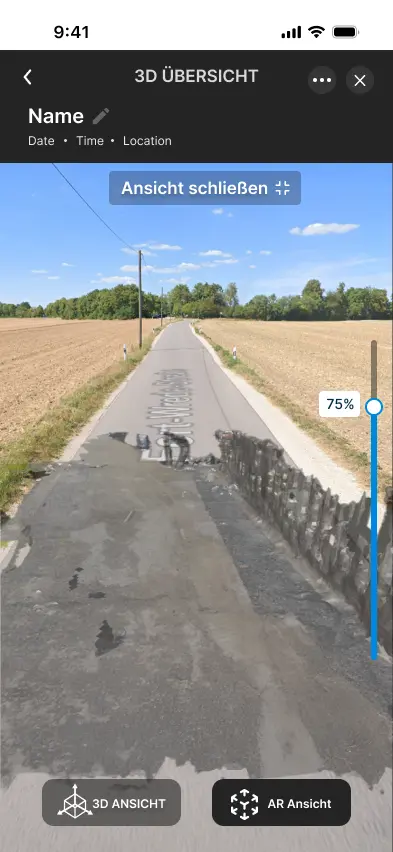
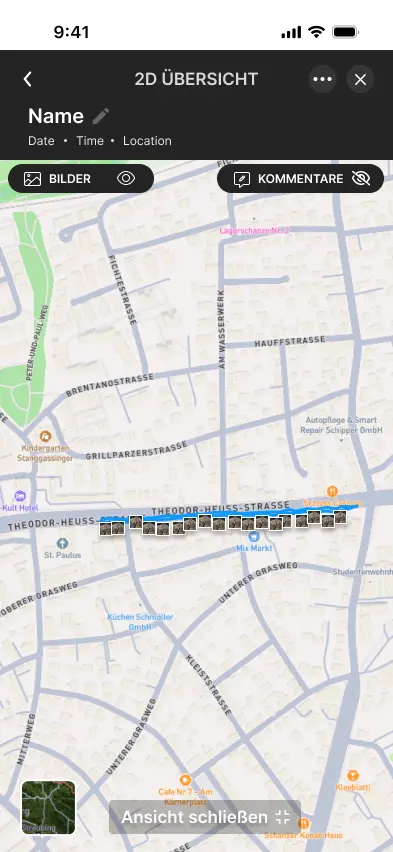
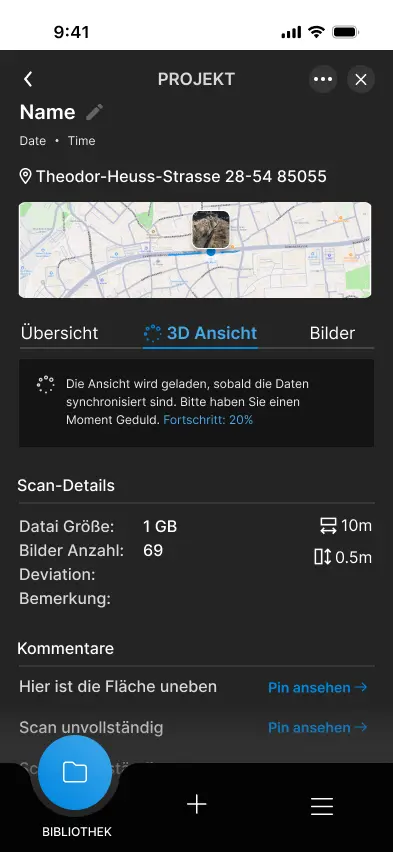
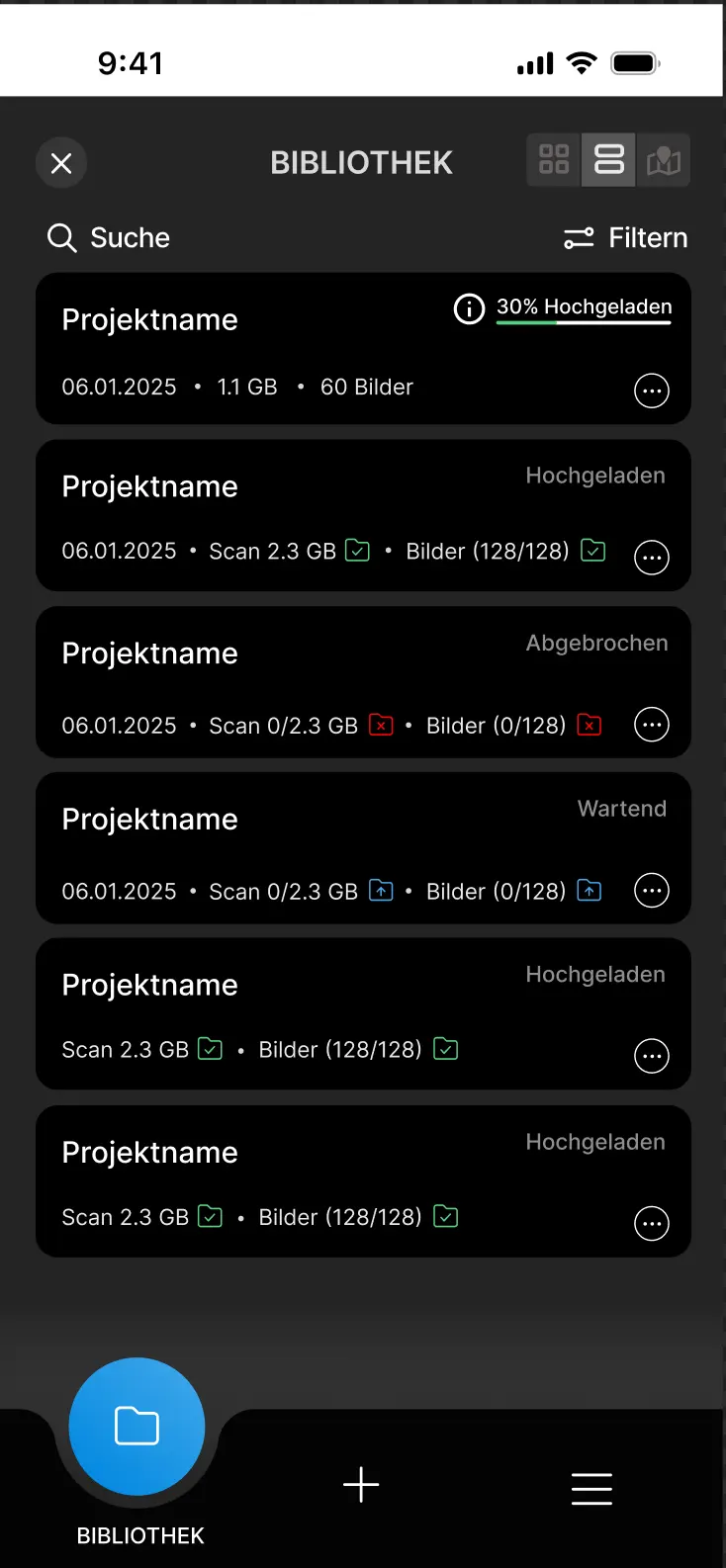
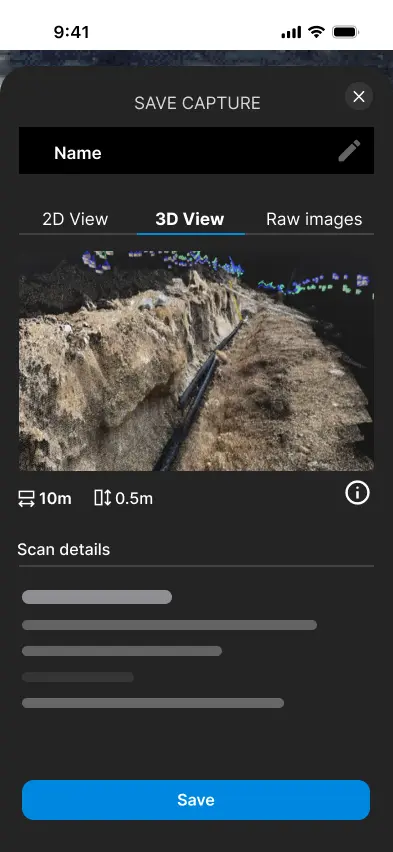
Core LiDAR 3D Scanner flows — real-time scanning, 3D and AR/VR preview, map-based organization, scan history, and web export.

Philosophy

UX & Design Approach

A capture-first design philosophy that prioritizes speed, clarity, and seamless cross-platform sharing — combining LiDAR hardware with intuitive 3D workflows.

PrecisionAccuracyImmersiveMobile-first
Design pillars
04
Accessibility
AA
Faster
60%
Audience
Architects & designers
Platform
iOS (iPhone)
Viewing
Mobile · VR · Web
Accessibility
WCAG AA

Every screen is shaped around real capture workflows — speed first, instant 3D feedback, and sharing that just works across mobile, VR, and the browser.

  1. Pillar 01

    Real-Time LiDAR Capture

    LiveMesh feedback

    iPhone LiDAR delivers high-accuracy depth mapping with live mesh generation and instant visual feedback during scanning.

    See the model build as you scan.

  2. Pillar 02

    Instant 3D Preview

    0sProcessing wait

    View scans immediately in-app with automated texture mapping and mesh generation — no waiting for processing.

    Textured models ready the instant you stop.

  3. Pillar 03

    Cross-Platform Sharing

    3Viewers

    Share models via unique web links and sync scan history across mobile, VR, and browser viewers.

    Mobile, VR, and web from one capture.

  4. Pillar 04

    Cloud Sync & History

    24/7Cloud backup

    Access a complete scan history from any device with automatic cloud backup and cross-device availability.

    Every scan, safe and on every device.

Tokens

Design System

A tech-forward visual language for 3D capture — deep navy surfaces with electric-blue shaded gradients, applied consistently across the app.

4Colors
6Type sizes
5Spacing
6Radii + shadows
4Easings
8Icons
4Breakpoints

Color palette4

Typography6

Heading

Space Grotesk 800 · 32px

Subheading

Inter 500 · 20px

Body text for product listings, collections, and guides.

Inter 400 · 16px

Caption labels

Inter 400 · 14px

Small helper text

Inter 400 · 12px

Bold heading

Space Grotesk 700 · 18px

Components4

Add to cart Wishlist
Organic In stockHeirloom
DefaultHoverActiveOff

Spacing scale5

XS4px
SM8px
MD16px
LG24px
XL32px

Border radius3

8px lg

12px xl

16px 2xl

Shadows3

shadow-sm

shadow-md

shadow-lg

Motion & easing4

StandardMost transitions

cubic-bezier(.4,0,.2,1)

DecelerateEnter / reveal

cubic-bezier(0,0,.2,1)

AccelerateExit / dismiss

cubic-bezier(.4,0,1,1)

SpringPlayful emphasis

cubic-bezier(.22,1,.36,1)